
A large casino lobby can save time or create confusion, depending on how clearly its categories, search tools and game labels work. Before choosing a title, it helps to understand whether you are browsing slots, jackpots, live tables or a separate betting area, and whether a category reflects game type, theme or promotion. The Fortune Play lobby presents several ways to filter its catalogue, but the displayed selection may vary according to market and provider restrictions. A short, methodical check can make browsing more transparent and reduce rushed choices.
Start with the lobby’s main divisions
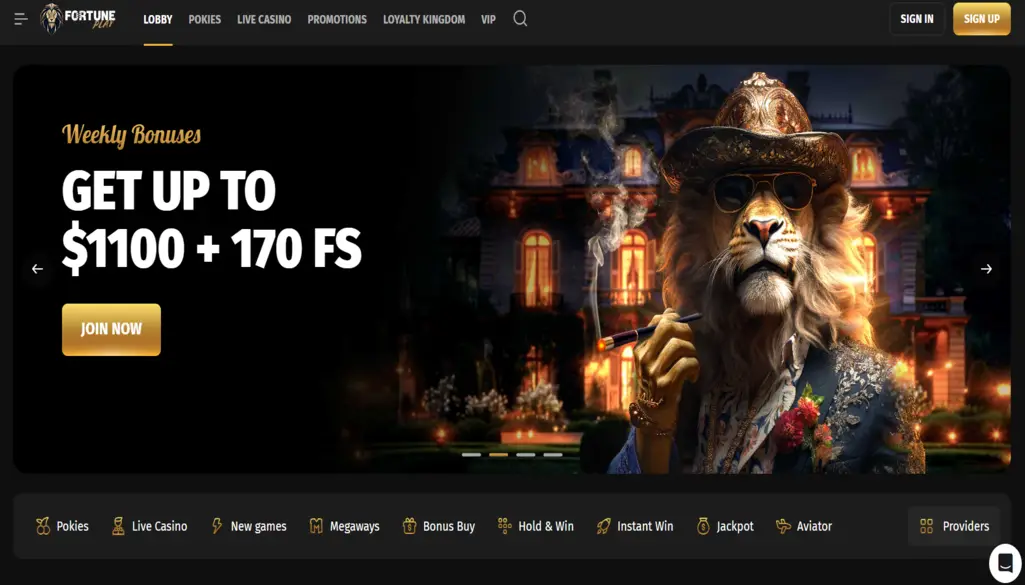
The first useful distinction is between the casino lobby and other products displayed on the wider website. The casino area includes categories such as Pokies/Slots, Jackpot, Bonus Buy, Megaways, Instant Win, Drops & Wins, Hold & Win and Table Games. Live casino is presented separately, with sections for Blackjack, Roulette, Baccarat, Poker and Game Shows. Sports betting, esports and prediction products are also separate activities rather than additional casino categories.
That division matters because a label can describe either the format of a game or the way it is promoted. “Jackpot” may indicate a prize structure, while “Megaways” refers to a particular style of slot mechanics. “Bonus Buy” identifies a feature that may allow entry to a bonus round, but it does not necessarily tell you the game’s volatility, rules or cost. Read the individual title information instead of treating the category name as a complete description.
For a first pass, choose the broadest category that matches your intention, then narrow the results using the available collection or search tools. Someone looking for a traditional slot could begin with Pokies/Slots, while someone wanting a dealer-hosted table should move directly to Live Casino and then select Roulette, Blackjack or Baccarat. Keeping these paths separate avoids confusing a themed collection with a different type of game.
Use filters to reduce the catalogue before opening a title
The catalogue includes collections such as New and Exclusive Releases, Popular Titles, Classic Slots, Book Slots, Mythology, Fruit Slots, Asia and Vikings. These are useful discovery routes, but they should be treated as browsing themes rather than objective quality rankings. A “popular” label does not establish that a game is more suitable, less risky or more likely to produce a particular result.
Search and provider navigation can be more precise when you already have a title or studio in mind. The lobby lists providers including Pragmatic Play, Play’n GO, NetEnt, Big Time Gaming, Evolution, Ezugi, Playtech, Wazdan, Relax Gaming and others. Searching by provider can help locate familiar interfaces, but it does not mean every game from that studio will be available in the same market or under the same conditions.
A practical browsing order is to select the game type, choose a relevant collection or provider, and then search for a specific title. Check spelling carefully because similar names may refer to different releases or versions. If the search produces no result, try a shorter title, remove punctuation or return to the provider list. A missing title may reflect availability restrictions rather than a problem with the search function.
What should you inspect on an individual game tile?
Before opening a game, inspect the information shown on its tile or detail view. Confirm the title, provider and broad game type, then look for labels indicating whether it is a slot, jackpot game, table game, live table or instant-win product. A thumbnail and theme can make two games look similar, so the title and studio are more reliable identifiers than artwork alone.
Do not assume that a short lobby label explains the full mathematics or feature set. Terms such as Hold & Win, Megaways, Drops & Wins or Bonus Buy describe mechanisms or promotional groupings, but they do not by themselves explain volatility, paylines, eligible features or the financial conditions attached to play. Review the game’s own information and the operator’s stated terms where those details are available.
It is also sensible to distinguish a genuine game category from a temporary merchandising row. “New”, “Exclusive” and “Popular” may change as the lobby is updated, whereas categories such as Roulette or Blackjack identify a more stable format. If the lobby shows a provider name but not enough information about rules or limits, do not fill the gap with assumptions. Check the stated requirements before committing funds, particularly where a game contains optional features or bonus-related terms.
Check live tables without mixing them with slots
Live casino navigation deserves a separate check because the experience differs from standard digital games. The live section includes popular tables and groupings for Blackjack, Roulette, Baccarat, Poker and Game Shows. Examples listed in the catalogue include Speed Baccarat, Lightning Roulette, Gravity Blackjack, Crazy Time and Mega Wheel. These titles may be supplied by different studios, so layouts, hosts and table formats can vary.
When comparing live tables, look beyond the game name. Check whether the title is a standard version or a variant with additional features, multipliers or altered presentation. “Lightning Roulette”, for example, should not automatically be treated as identical to conventional roulette. Similarly, a game-show label signals a different format from a normal table game. The table information should be used to confirm the rules before joining a session.
Navigation can also help separate entertainment preferences from betting decisions. Someone wanting a conventional table may prefer the standard Blackjack or Roulette section, while someone interested in a faster or more theatrical format can inspect Game Shows. Remember that the presence of a live table does not establish its availability at every time or for every account. If a title is unavailable, read the displayed notice rather than assuming the reason.
For broader context on gambling terminology, consumer considerations and the New Zealand regulatory environment, readers can consult New Zealand government gambling information. That information is general and does not confirm the availability, rules or conditions of any particular game lobby.
Make a final check before choosing from the results
Once the search results are narrowed, compare titles using a consistent checklist. Confirm the exact name, provider, category and whether the game is a standard release or a variant. Look for any displayed information about the game’s rules, minimum or maximum stakes, bonus features and relevant restrictions. If the lobby does not show a detail, consult the operator’s stated information rather than relying on a review, thumbnail or forum comment.
Pay particular attention to labels that can influence expectations. “New” does not mean tested or superior, “popular” does not indicate better outcomes, and “jackpot” does not mean a win is likely. A brief trial may help you understand navigation and controls, but it cannot verify long-term return, volatility or the chance of a particular result. Treat game discovery as an information step, not evidence of likely winnings.
Finally, consider whether the selected category encourages unnecessary switching. Opening multiple games simply because they appear in different collections can make spending harder to track. Decide what type of game you are looking for, review the relevant information, and stop browsing if the available details are unclear. A well-organised lobby should help you identify a title; it should not pressure you to continue choosing.
Frequently asked questions about lobby navigation
Are lobby collections the same as game types?
No. Collections such as Mythology, Vikings or Popular Titles are browsing themes, while categories such as Slots, Roulette or Blackjack describe game formats. Labels including Megaways or Hold & Win may describe mechanics. Check the individual game information for the clearest explanation of what a title offers.
Why might a searched game not appear?
A title may be unavailable in the relevant market, restricted by its provider, removed from the current catalogue or listed under a slightly different name. Try a shorter search term or browse by provider. If it still does not appear, do not assume it can be accessed through another category.
Does a popular or new label indicate better chances?
No. Those labels describe how a lobby presents or groups games, not their probability, volatility or expected results. A new title may simply be recently added, while a popular title may be widely browsed. Review the game’s own information and set a clear limit before playing.